

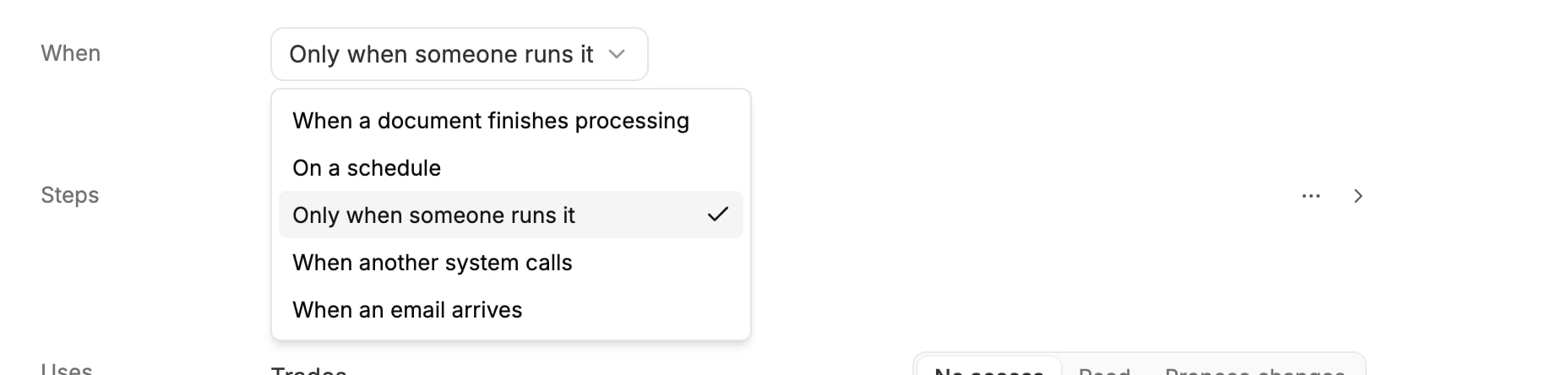
The trigger menu. It lists only the triggers you can use in this workspace.
A trigger’s values are what the steps pick “from the document”, “from the request” or “from the message”. See Use values from earlier steps.
Document and message triggers only count what arrives after the automation is switched on. Switching to another trigger starts it fresh: the old trigger’s settings are not kept.
When a document finishes processing
Runs once for each document of the chosen types that Mercora processes.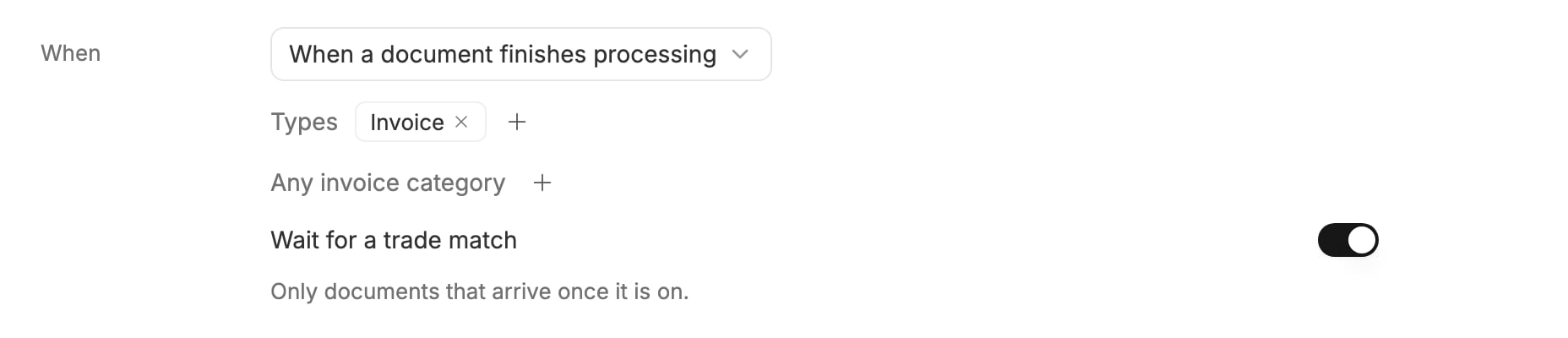
Runs for every invoice, once it's matched to a trade.
- The document: the document that started the run.
- Its trade: the trade it’s matched to.
- Every field Mercora extracts from the chosen types. For an invoice: Invoice number, Invoice date, Due date, Vendor name, Billed to, Currency, Subtotal, Tax amount and more.
On a schedule
Runs at a set time. Fill in the sentence: Starting a date, every weekday, day, week or month, at an hour. The time is in the time zone shown at the end, yours when you set it.
Every weekday at 07:00, Zurich time, starting 3 November.
Only when someone runs it
Runs only when someone starts it: Run now on the automation’s page, or a request to the Copilot such as “Run the overdue invoices automation”. Use it for jobs you start by hand, and while you build an automation you’ll later put on a schedule. It hands the steps no values.When another system calls
Runs when your own system, such as an ERP, calls Mercora’s API.- Click Save once. The automation’s address then shows under When:
POST /api/v1/agents/{id}/run. Click Copy. - Your system calls that address with a workspace API key that has the Automations scope. Keys are made under Settings → Administration → API; see API keys.
- Under Fields it sends, type the name of each field your system sends, in lower_snake_case (such as
contract_number), click Add a field, and pick its type: Text, Number, Yes or no or Date.
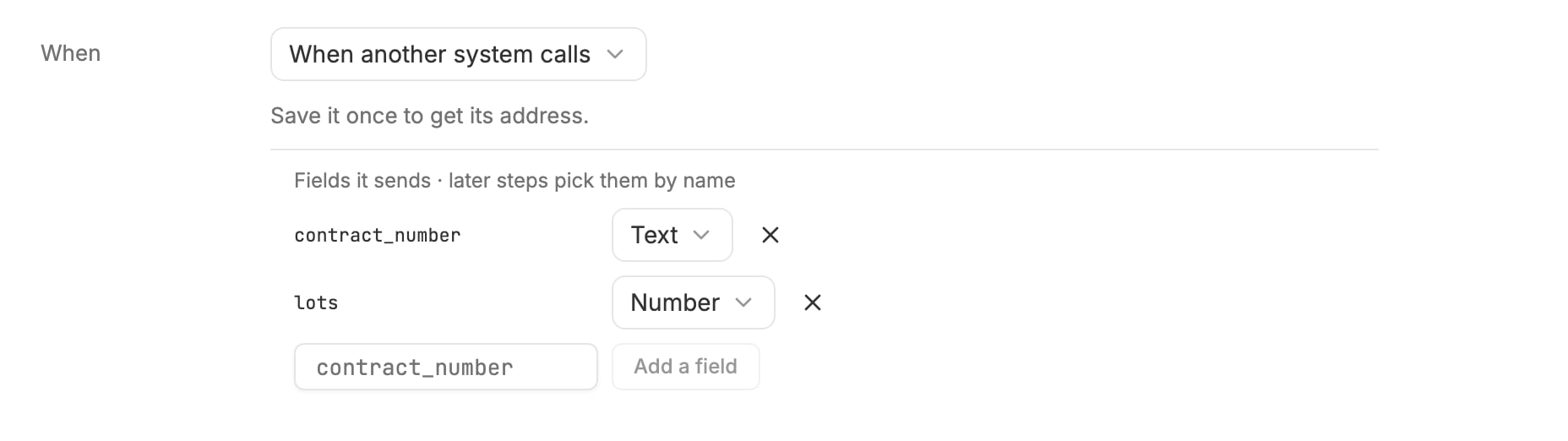
An automation another system calls, with the two fields it sends.
input, with its own external_id for the request:
external_id and body again with the same API key returns the run it started instead of starting a second one; after a key change it starts a new run. The same external_id with a different body is refused. The steps pick each field “from the request”: here Contract number and Lots. See the API reference.
When an email arrives
Runs for each email that reaches the workspace’s email inbox and matches the filters. Only a workspace admin can save this trigger.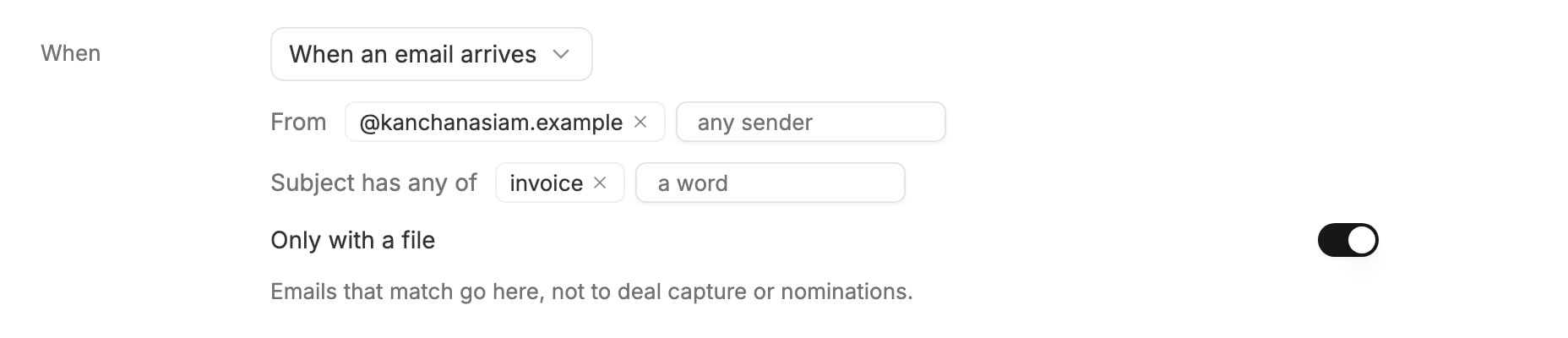
Runs for emails from the supplier's domain whose subject says invoice and that carry a file.
When a Teams channel or WhatsApp group gets a message
Runs for each post in a Teams channel, or each message in a WhatsApp group, that an admin set to Automations under Settings → Integrations (Microsoft 365, WhatsApp). These triggers show in the menu only once such a channel or group exists.- Channels or Groups: click + and pick one or more.
- From (WhatsApp only): phone numbers written in full, such as
+41 79 123 45 67. Empty: anyone in the group. - Text has any of: words the message must contain, at least one. Empty: any message.
Next steps
- Steps: what happens after the trigger.
- Use values from earlier steps: put the trigger’s values into your steps.