

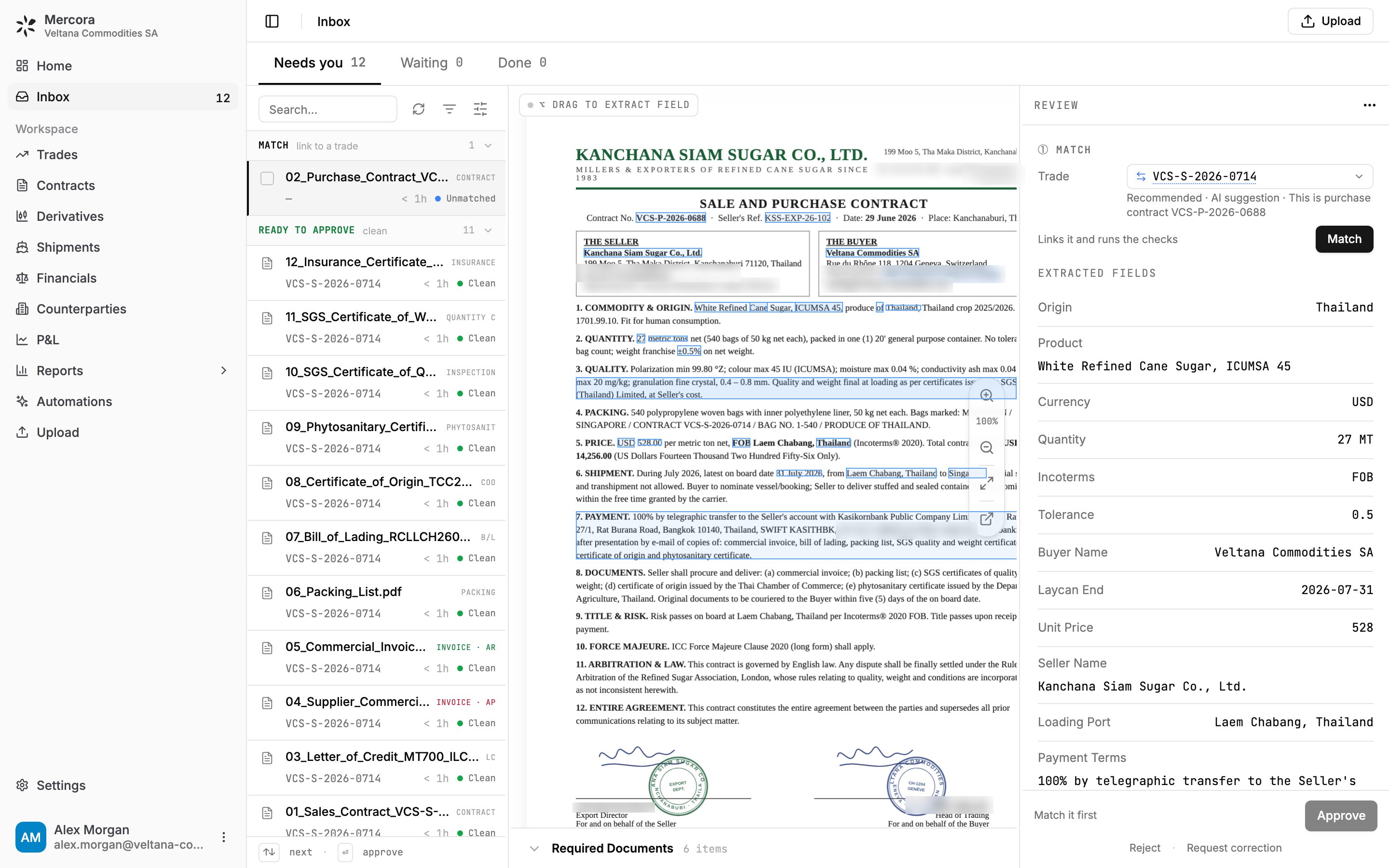
The Inbox: each document is read and matched to its trade, with the extracted fields beside the original, ready for you to review and approve.
Quickstart
Accept your invite, sign in and upload your first document.
Walk through one trade
Follow a single trade from contract to P&L.
Start here by role
A single trade can carry dozens of documents. Mercora is designed so you spend your time on the decisions, not on retyping data into spreadsheets or a CTRM (commodity trading and risk management system). Pick the role closest to yours.Operator
For back-office and trade operators who receive the recap, contract, B/L (bill of lading), certificates, invoices and the emails in between, and need each one filed against the right trade and checked.
Finance
For finance teams who need invoices, payments and margins that reflect what was actually billed.
Admin
For workspace admins who decide which parts of Mercora the team uses and who can see and change what.
Developer
For engineers connecting their own systems to Mercora with a workspace API key.
The core loop
Here is how a document moves through Mercora. Mercora does the reading and checking; a person makes the call.1
Documents arrive
Upload documents yourself, or have them come in from email if your workspace has email ingestion set up. Each one lands in your Inbox.
2
Mercora reads and classifies them
Mercora works out what each document is (an invoice, a B/L, a certificate of origin, and so on) and reads its key fields, such as quantities, weights, prices, dates and references.
3
Documents are matched to trades
Mercora links each document to the trade it belongs to, or recommends the most likely trade for you to confirm.
4
Discrepancies are flagged
Mercora compares the document with the trade and its other documents and flags anything that doesn’t line up, like a weight that differs between the B/L and the invoice.
5
You review and approve
You check the result, correct anything that needs it, and approve. Nothing reaches your trade records until a person approves it.
Popular tasks
Documents and trades